PulseOps Command Center

Monitor small networks like a pro.
Self-hosted clarity for SOHO.

PulseOps gives you device inventory, real-time telemetry, topology maps, and safe actions in one brutalist dashboard. Run it locally, keep control of your data, and grow it with your team.

Telemetry
SSH + SNMP metrics
Discovery
Scan LAN & VLAN ranges
Actions
Backup, reboot, reprovision
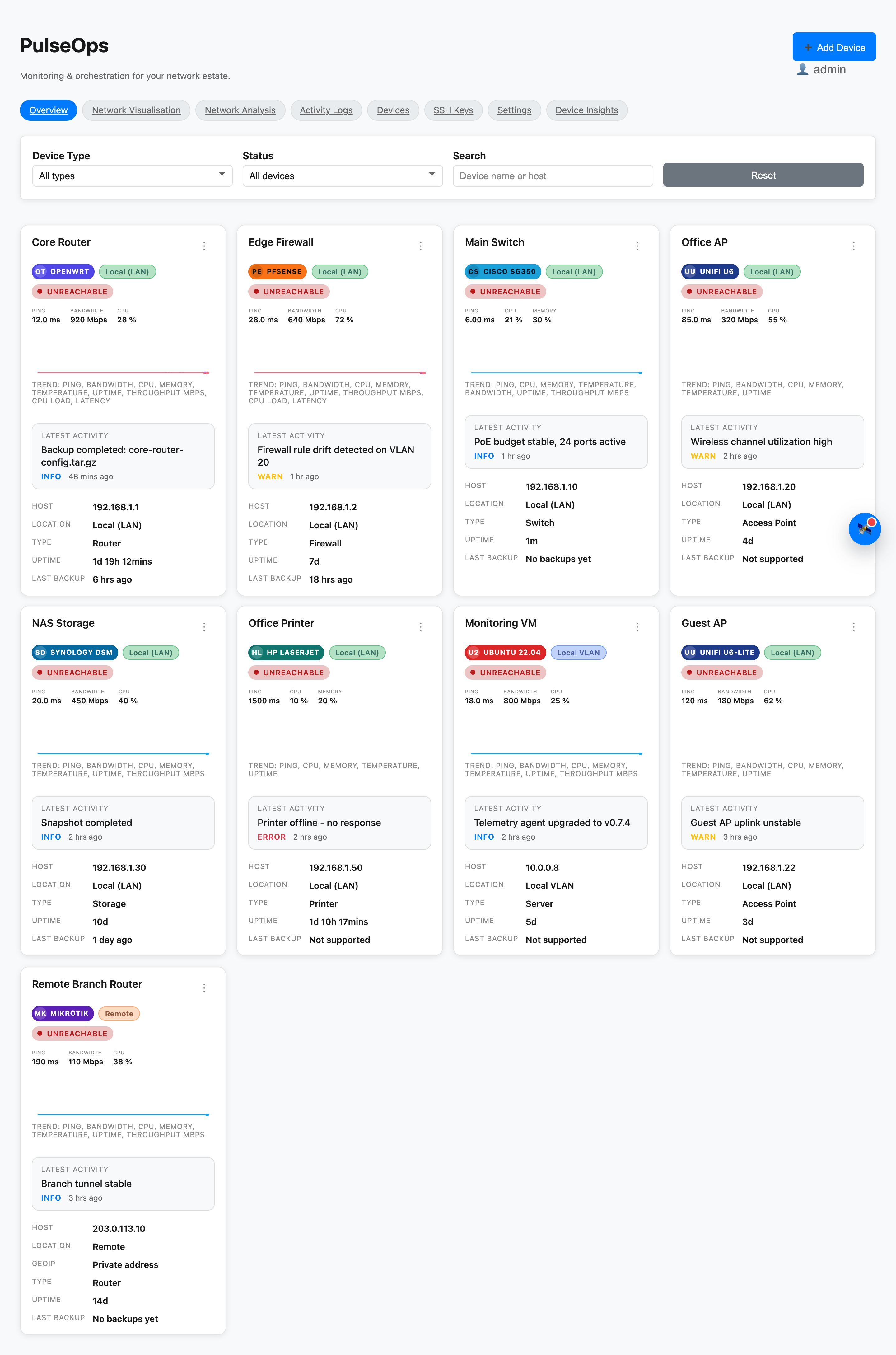
Overview
PulseOps overview dashboard
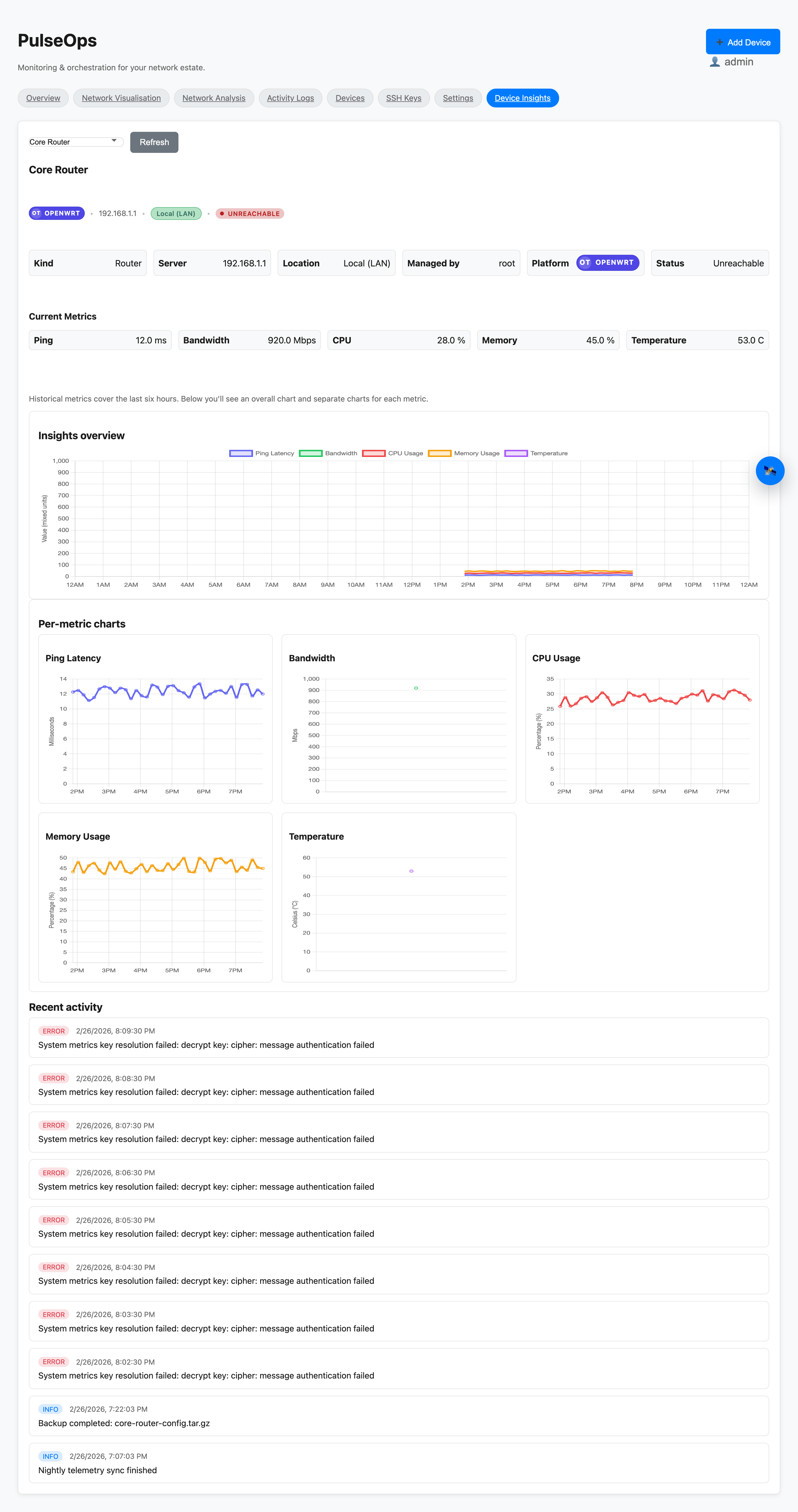
Insights
PulseOps insights charts
Why PulseOps

Small networks deserve better.

The same problems repeat across every SOHO, home lab, and small MSP site. PulseOps addresses them head-on.

Problem
  • Devices fail silently — you notice after users complain.
  • No single view of uptime, latency, and CPU across mixed vendors.
  • Config backups are manual, infrequent, or non-existent.
  • Rebooting a remote AP means opening five different admin portals.
  • Network maps live in someone's head or an outdated spreadsheet.
  • SSH credentials are shared, undocumented, and stored in plain text.
Fix
  • Live telemetry surfaces latency, CPU, and status the moment they drift.
  • Unified dashboard covers SSH and SNMP devices in a single pane.
  • On-demand and scheduled backups with full download history per device.
  • One-click reboot, wireless refresh, and firewall reload from the UI.
  • Saved topology canvases with editable nodes, edges, and link health.
  • Encrypted SSH key store with per-device usage tracking.
Core Capabilities

Minimal UI. Maximum signal.

Purpose-built for SOHO operators, home labs, and small MSP teams who want visibility without enterprise sprawl.

Live telemetry

Ping, CPU, memory, uptime, and throughput in one grid. Pull from SSH or SNMP depending on the device.

Network discovery

Scan ranges, classify devices as LAN, VLAN, or remote, and track everything from a single inventory.

Topology maps

Build saved canvases, inspect edges, and visualize health across link paths.

Insights + logs

Layer real-time summaries with historical charts and context-rich activity logs.

Backup + actions

Trigger backups, reboot devices, refresh firewall and wireless configs, and reprovision iperf.

Self-hosted control

Run on your own hardware. Keys stay encrypted and data never leaves your box.

Proof

Operational detail, not fluff.

The overview surfaces status, metrics, and recent activity. Device tables and logs stay close for fast triage.

  • Device status and metrics in one scan.
  • Export/import device definitions as JSON snapshots.
  • Logs and alerts with instant filters.
  • Backup timestamps and device-level context.
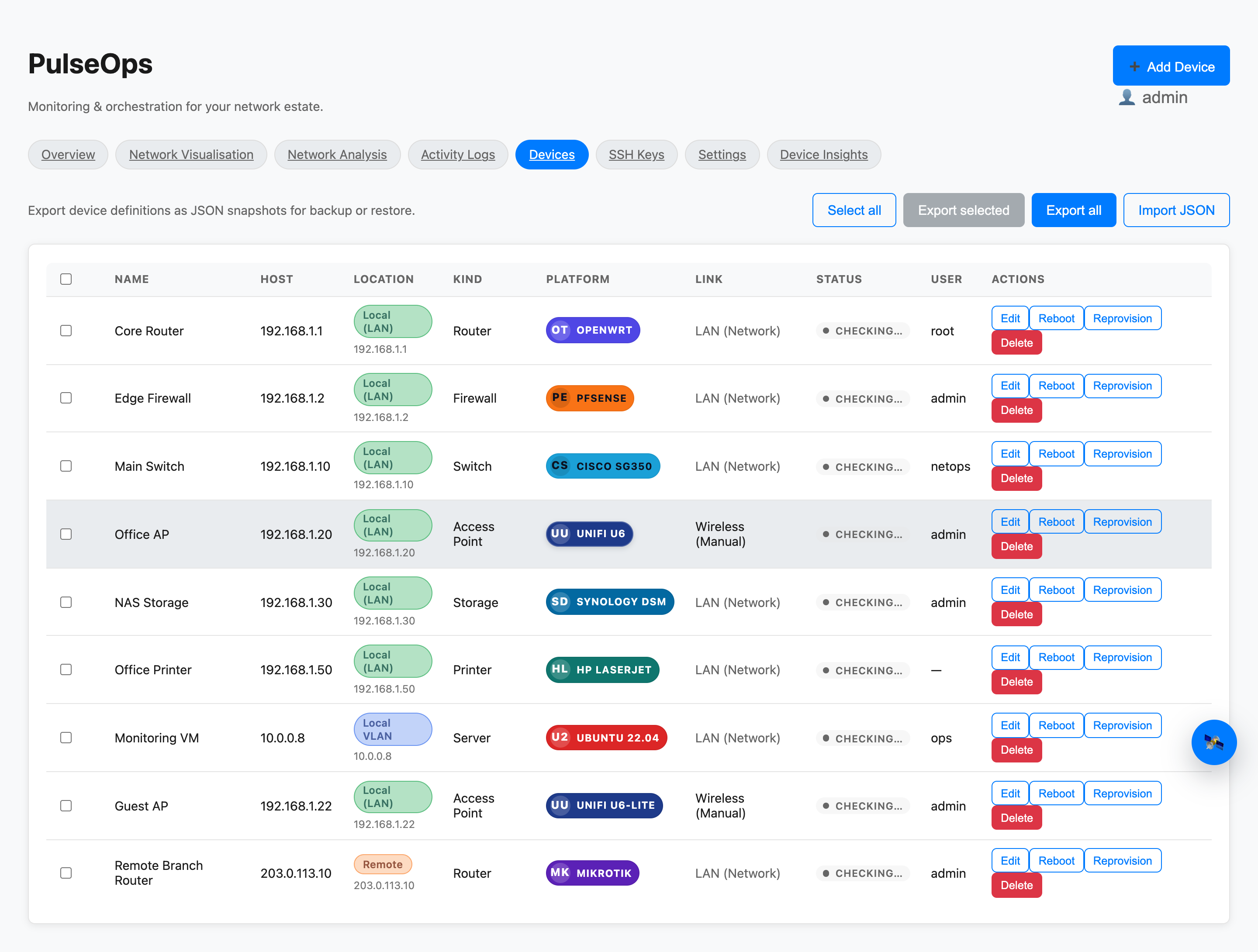
Devices
PulseOps device table
Device table with actions
Tile A — Devices
Inventory grid with export, import, status badges, and per-device actions.
Activity logs with filters
Tile B — Logs
Context-rich activity stream with source, device, level, and search filters.
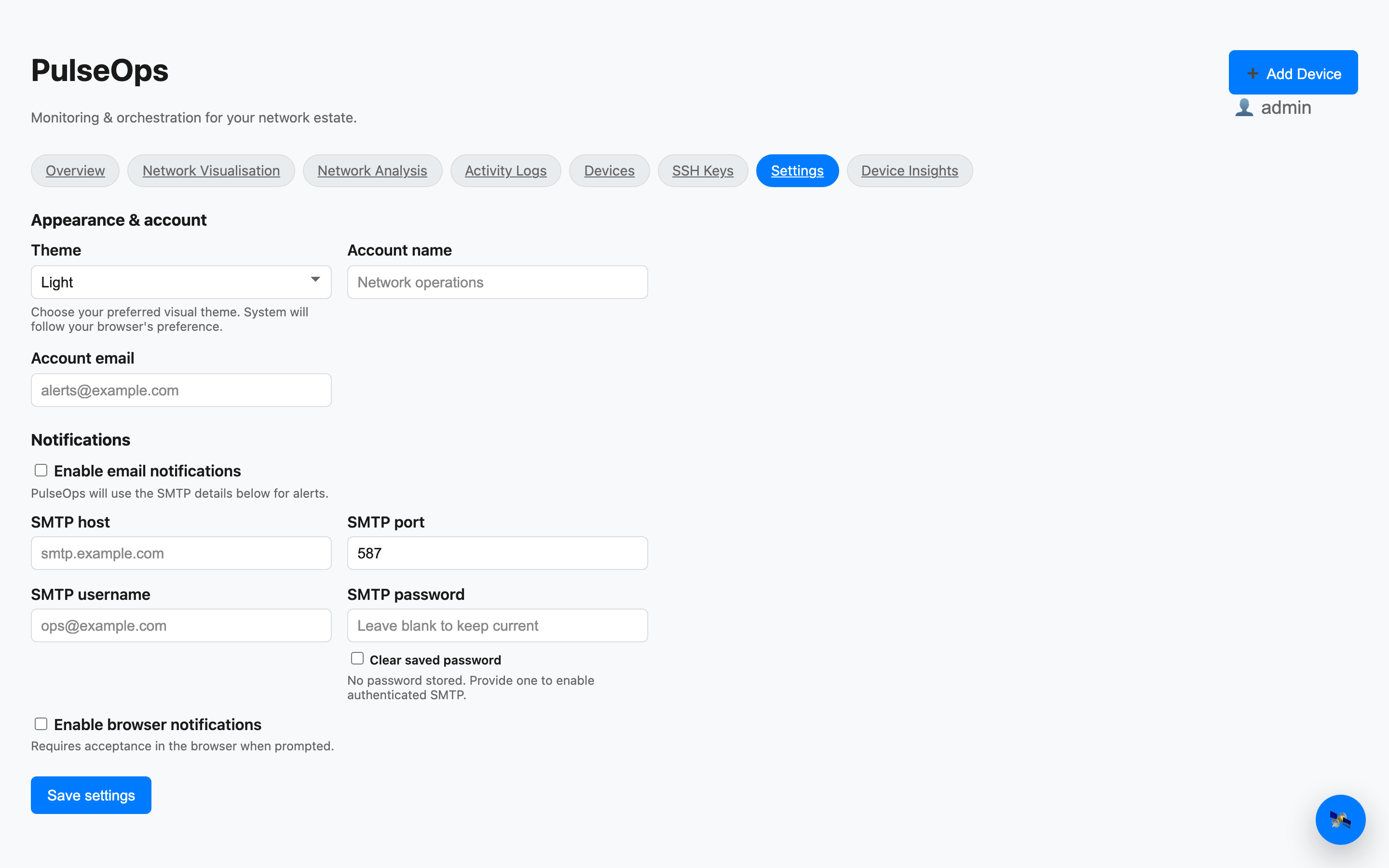
Settings with notification toggles
Tile C — Settings
SMTP and browser notification toggles, theme, and account controls.
Topology + Visualisation

See the network, not just the numbers.

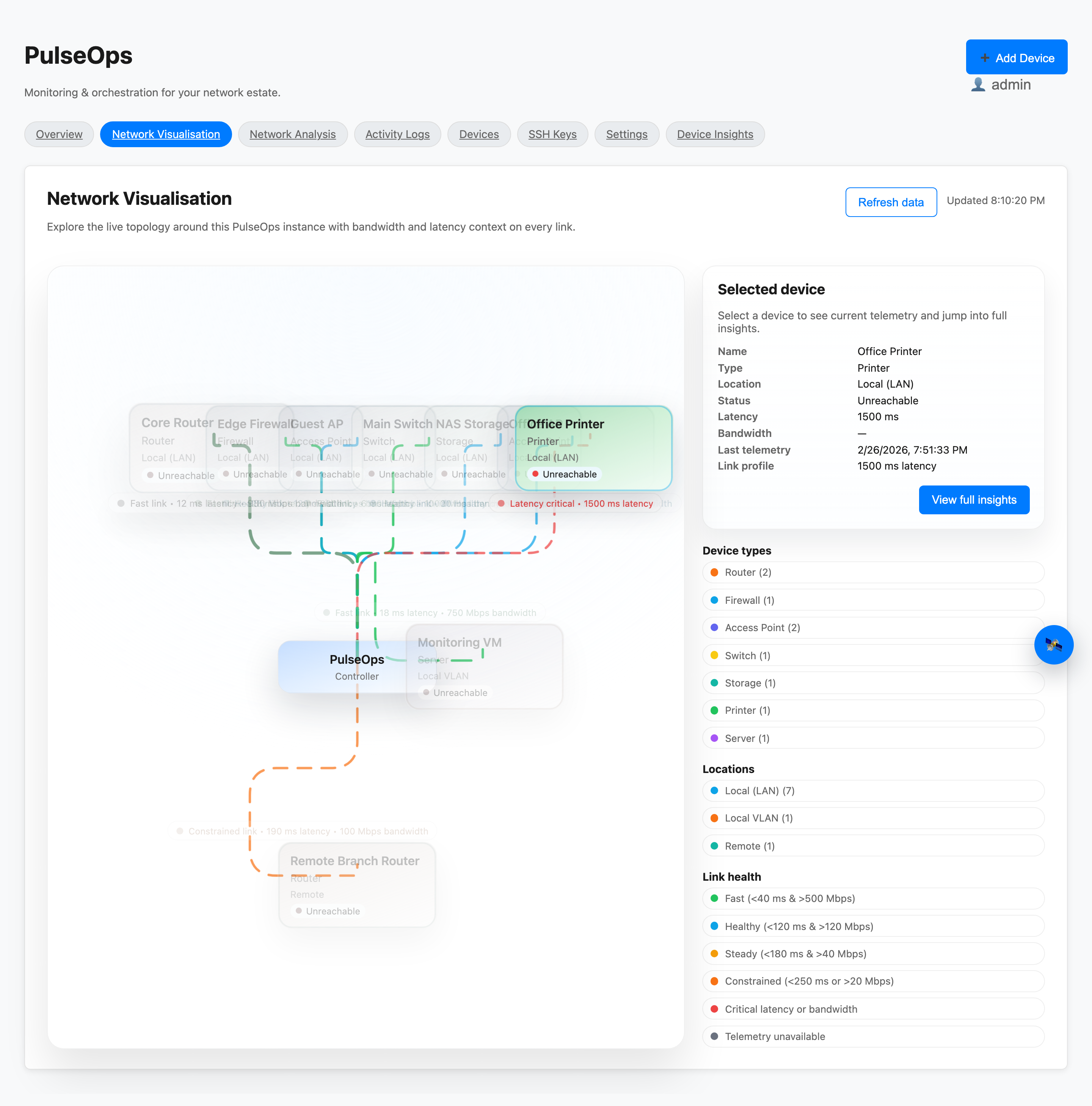
Save curated maps and explore live topology with health bands, legends, and link context.
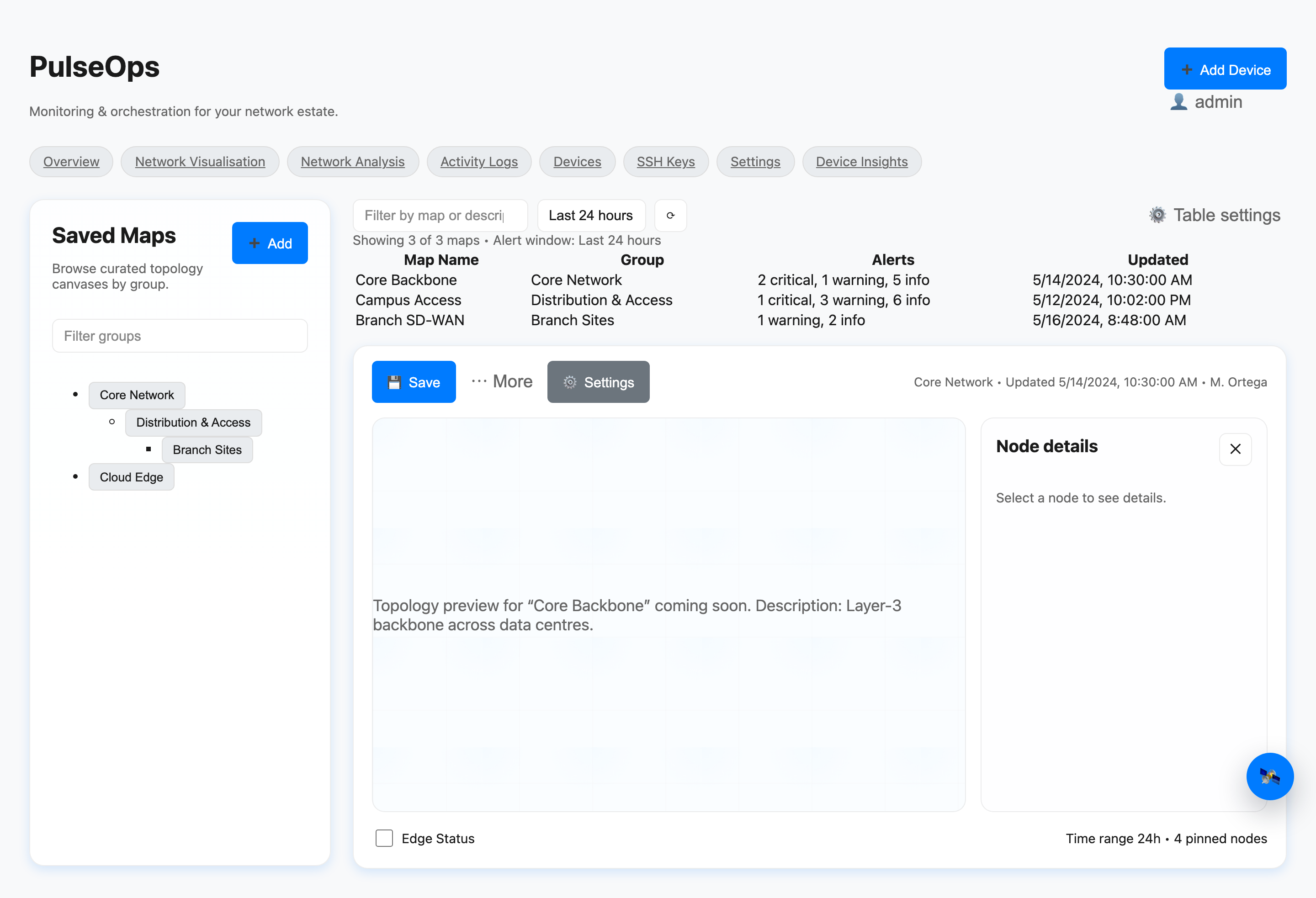
Saved Maps
Saved topology maps canvas
Network Visualisation
Live network visualisation
Saved maps Node inspector Link health Live visualisation Export to PDF
Onboarding

Discovery + configuration in minutes.

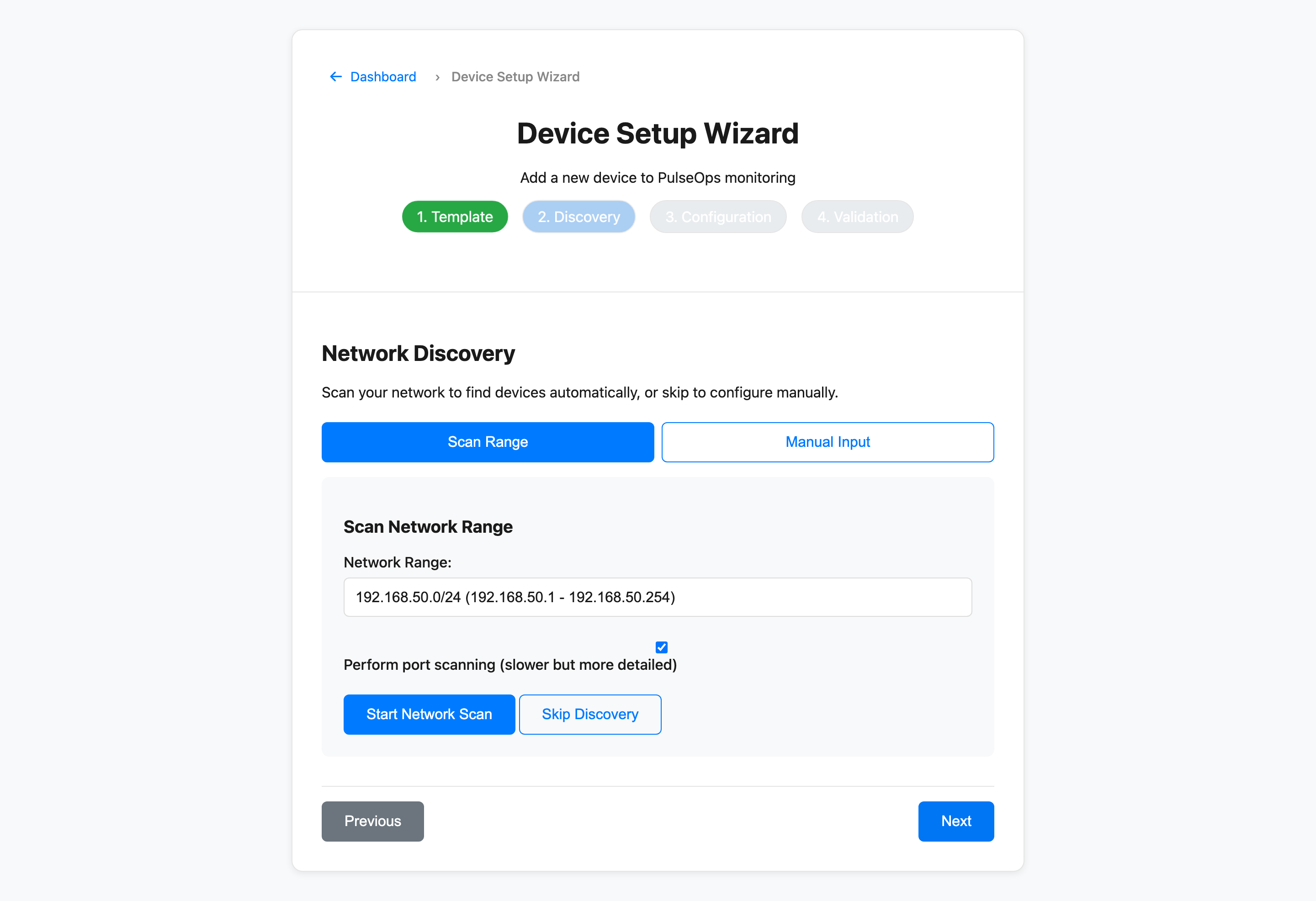
Select a device template, scan the network or enter IP ranges, then validate credentials before you save.
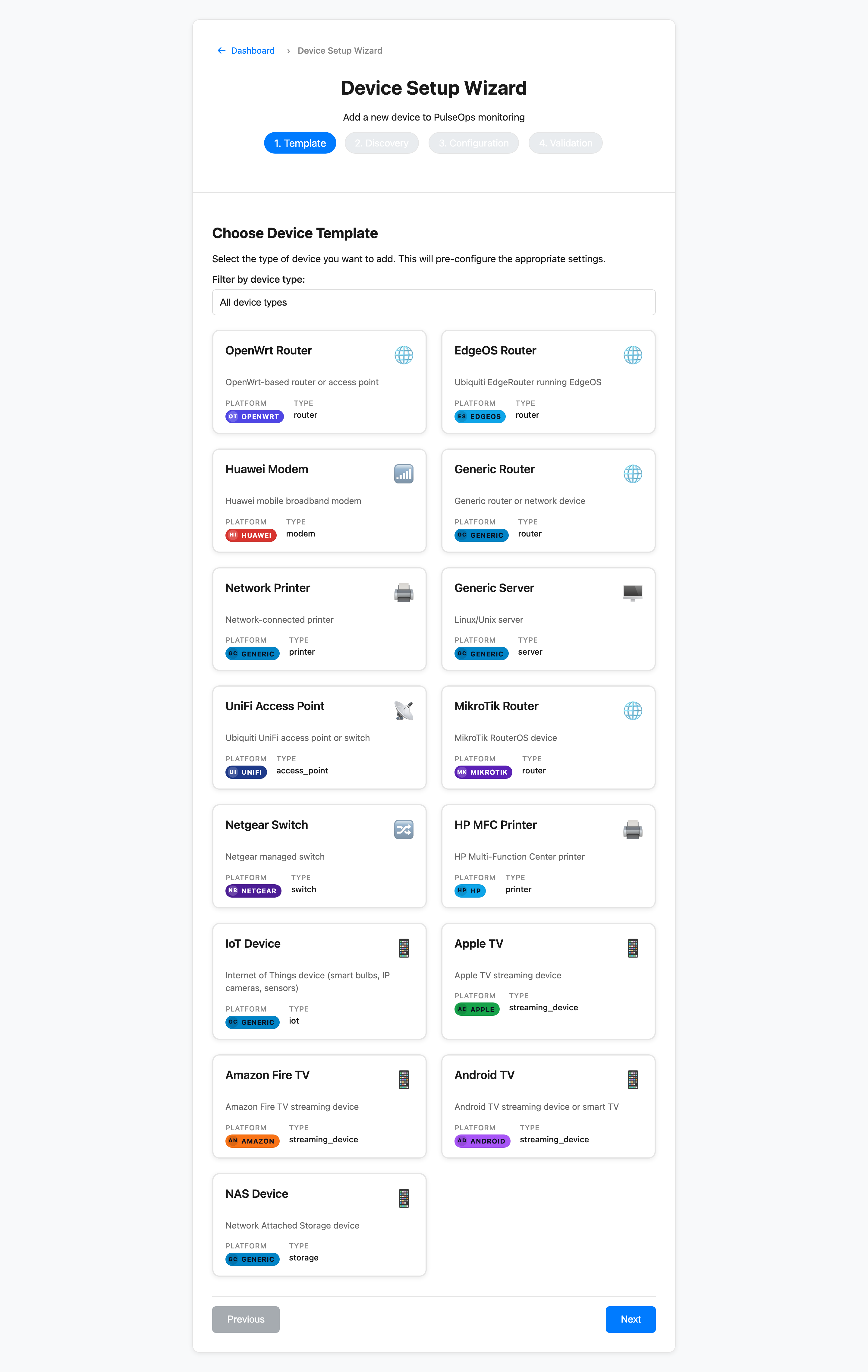
Step 1 — Template
Device setup wizard template step
Step 2 — Discovery
Device setup wizard discovery step
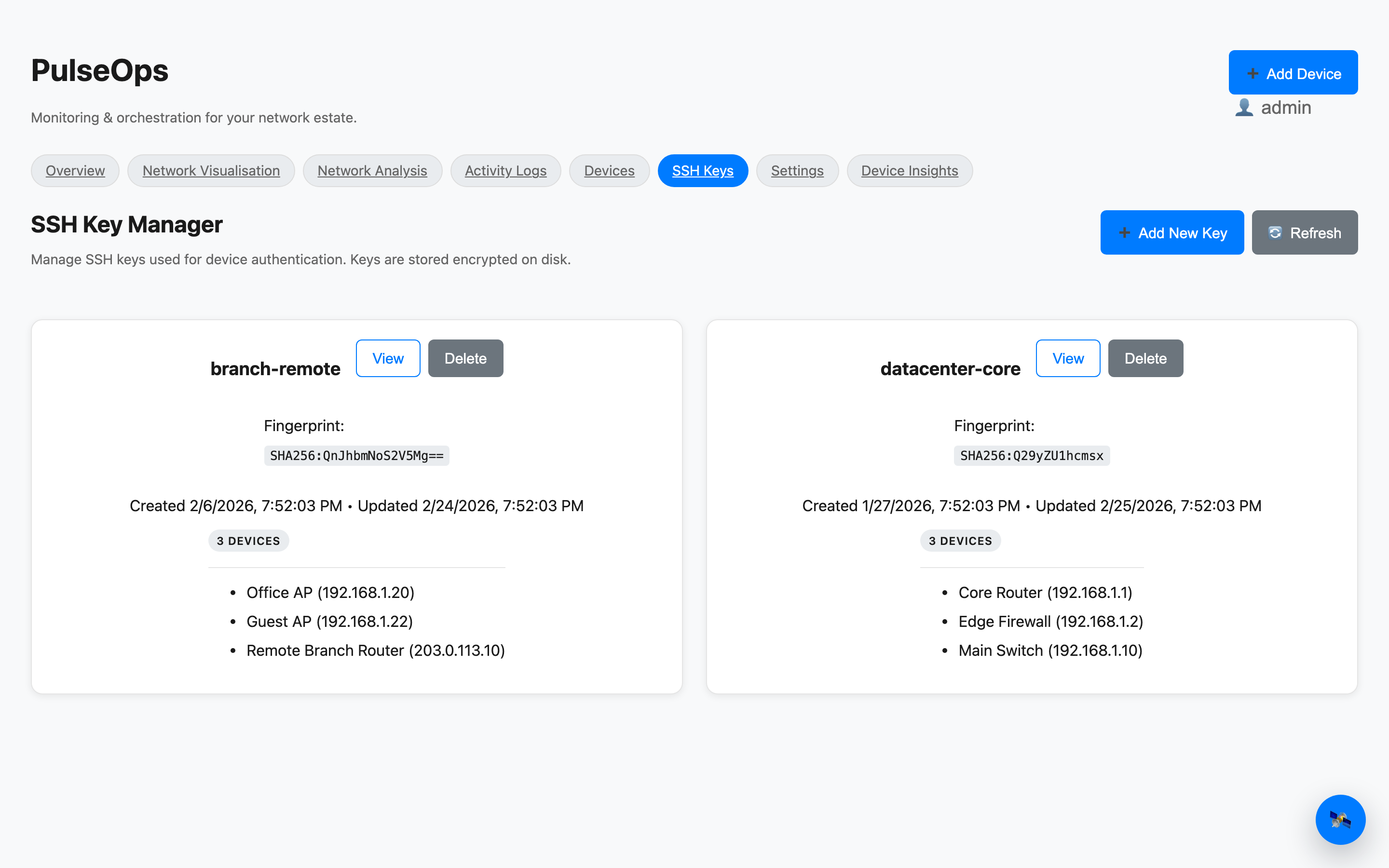
SSH Key Manager
SSH key manager
Security + Continuity

Keys encrypted. Backups tracked.

Manage SSH keys with usage visibility and keep backup history attached to each device.

  • Encrypted private key storage.
  • Usage tracking across devices.
  • Backup timestamp visibility from the dashboard.
Use Cases

Built for the real world.

PulseOps fits wherever a small network needs professional-grade visibility.

01 — Home Office

Mixed-vendor home office

Unified telemetry across routers, APs, switches, and NAS units from different manufacturers — all in one dashboard.

02 — Retail / Coworking

Small retail or coworking Wi-Fi

Monitor guest and staff SSIDs, catch rogue devices early, and reboot APs without touching the hardware.

03 — Multi-floor Property

Multi-room or multi-floor building

Map every node and edge across floors. Spot link degradation before tenants call.

04 — Small MSP

MSP managing 1 to 10 sites

Per-site device inventories, backup history, and config actions — without subscribing to an enterprise NOC platform.

Getting Started

Run PulseOps in minutes.

Start with Docker Compose or compile the Go binary directly. Full instructions live in the docs.

Quickstart
docker compose up --build -d
# visit http://localhost:8765
Discover

Scan LAN ranges and import existing JSON exports.

Monitor

Track latency, throughput, CPU, memory, uptime.

Analyze

Use insights and logs to isolate issues quickly.

Act

Run safe actions and keep backups on record.

Open Source

Built in the open. Expanding fast.

PulseOps is open source and designed to grow with new drivers, richer telemetry, and integrations for MSP workflows.

Planned drivers

More templates for routers, switches, and Wi-Fi hardware.

Expanded telemetry

Custom metrics and automated reporting hooks.

Integrations

Alerting and notification routes for MSP workflows.